
Computers: Then vs Now
The Digital Revolution
Listen to this episode
Computers: Then vs Now
8 parts · Tap play to start
Uses a natural English voice available through your browser or device. Article text is not uploaded to NVR Nexus.
The modern computer did not appear through one invention or one company. It emerged from decades of work in mathematics, electronics, memory, programming, semiconductor manufacturing, interfaces and networking. Early electronic computers filled rooms and served institutions; microprocessors made smaller machines practical; personal computers moved computing onto desks; graphical interfaces and the web widened access; and laptops, cloud services and specialized chips made computing both portable and distributed. Today's computer may be a desktop, laptop, data-center server or an embedded system—and increasingly combines conventional software with artificial-intelligence workloads.
Evolution Timeline
The Journey Through Time
1940s–1950s
Electronic and Stored-Program Computing
Vacuum-tube machines prove that electronic calculation can work at scale, while stored programs make computers easier to repurpose through software.
1950s–1960s
Mainframes and Transistors
Businesses, governments and universities adopt centralized systems as transistors and integrated circuits improve size, reliability and efficiency.
1970s–1980s
Microprocessors and Personal Computers
A processor on a chip helps make smaller systems economical, and home and office computers create a mass software market.
1980s–1990s
Graphical Desktops and Connected PCs
Graphical interfaces, standard platforms, local networks and the public web turn the PC into an approachable communication and productivity tool.
2000s–2010s
Portable, Mobile and Cloud Computing
Wi-Fi, better batteries, multi-core processors, solid-state storage and cloud services let work move across devices and locations.
2020s
Heterogeneous and AI-Assisted Computing
Modern systems combine CPUs with graphics and neural processors while applications divide work between local hardware and remote data centers.
Then vs Now
Technology Transformation
Then
- —Shared institutional machines
- —Vacuum tubes or early discrete components
- —Programs prepared with wiring, cards or low-level instructions
- —Limited memory and specialized storage
- —Text, printouts and operator-controlled workflows
- —High cost with access scheduled among users
Now
- +Personal devices connected to cloud systems
- +Highly integrated multi-core chips and accelerators
- +Graphical apps, browsers and high-level software tools
- +Gigabytes of memory and fast solid-state storage
- +Rich visual, voice, touch and accessibility interfaces
- +Mass-market hardware across many price and performance levels
There Was No Single First Computer
Different machines pioneered different qualities: electronic operation, general-purpose programming, stored instructions, commercial use or personal interaction. Calling one device the first computer can hide the collaborative and gradual nature of the field.
Performance Is More Than Processor Speed
A computer's real experience depends on memory, storage, graphics, cooling, battery life, software and the workload itself. Cloud services can add remote capacity, but they also introduce network, privacy and availability trade-offs.
Featured Quote
The defining change was not only that computers became smaller and faster, but that they became programmable, personal and connected.
NVR Nexus
Featured Quote
A modern computer is rarely one isolated box; it is often the visible edge of a larger system of chips, software, networks and data centers.
NVR Nexus
From Room-Sized Machines to Stored Programs
Before electronic computers, people used counting tools, mechanical calculators and electromechanical machines to reduce manual work. The word computer also described people—often teams of women—who performed calculations from tables and formulas. Modern computer history grew from both kinds of work: building faster calculating machinery and expressing a procedure as a sequence of operations.
During the 1940s, large electronic machines demonstrated that vacuum tubes could perform calculations far faster than earlier electromechanical systems. ENIAC, completed in the United States during World War II and publicly announced in 1946, used roughly 18,000 vacuum tubes and occupied a large room. It was powerful for its time, but setting up a new problem originally involved switches, cables and detailed human preparation.
The stored-program concept changed that relationship. Instead of configuring every task mainly through physical wiring, a computer could keep instructions in memory with data and execute them in sequence. The Manchester Small-Scale Experimental Machine, known as the Baby, ran a program from electronic memory in 1948. Other early stored-program projects helped turn programming into a reusable layer between people and hardware.
These machines were not simple products invented by one famous person. Mathematicians, engineers, operators and programmers contributed theory, circuit design, memory, input methods and practical procedures. Ada Lovelace had described the broader potential of programmable machinery in the nineteenth century; Alan Turing formalized essential ideas about computation; and teams working on ENIAC, Manchester, EDSAC and other projects made electronic general-purpose computing real.
Early computers remained costly and demanding. Vacuum tubes generated heat and could fail, memory was scarce, and input or output might use paper tape, punched cards, switches or printed results. Yet they established a durable idea: the same physical machine could solve many different problems when given different programs.
That separation between hardware and software remains central today. A laptop can edit a photograph, calculate a budget or join a video call not because its circuits were rebuilt for each activity, but because stored instructions direct general-purpose hardware and specialized components to perform different work.
Mainframes, Microprocessors and the Personal Computer
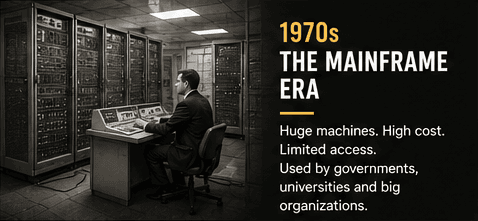
In the 1950s and 1960s, computing moved from experimental projects into regular institutional use. Mainframes processed payroll, census records, scientific models, reservations and business transactions. Users often submitted jobs to trained operators rather than sitting directly in front of the machine, and many people or departments shared one centralized system.
Hardware improved as transistors replaced many vacuum tubes and integrated circuits combined multiple electronic components on smaller pieces of semiconductor material. Computers became more reliable and compact, but institutional systems were still expensive. Terminals and time-sharing later let several users interact with a central computer, offering an early form of shared online computing.
The microprocessor compressed the central processing functions of a computer into a small number of chips, eventually a single integrated device. Intel announced the 4004 in 1971 for calculator-related work, and subsequent processors provided the foundation for increasingly capable small computers. Memory chips, storage, displays and manufacturing also had to improve; the processor alone did not create the personal-computer market.
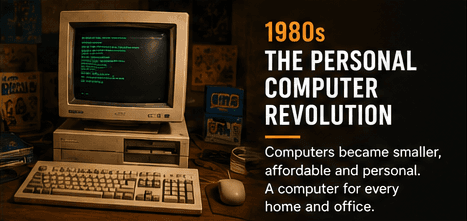
Hobbyist kits such as the Altair 8800 showed that individuals could own and program a microcomputer. Products including the Apple II, Commodore systems and other home computers made software, games and programming available beyond laboratories. The IBM Personal Computer, introduced in 1981, was especially influential in business. Its architecture and the compatible systems that followed helped establish a large shared market for hardware and software.
The personal computer changed access as much as performance. A small business could run a spreadsheet without booking time on a central machine. A student could learn programming at home. Writers could revise documents without retyping whole pages, and software companies could distribute one application to a growing base of compatible computers.
This revolution was uneven. Computers remained a major expense, interfaces could be difficult, and availability varied across countries and communities. Still, ownership moved the machine from a remote institutional resource to a device that an individual could control, customize and use whenever needed.
Graphical Interfaces, Networks and the Web
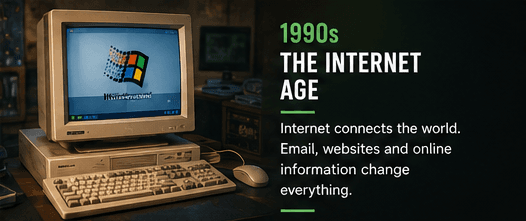
Early personal computers often expected users to type commands or load one program at a time. Research systems had already explored windows, icons, pointing devices and hypertext, but graphical interfaces brought those ideas to a wider market. The Apple Macintosh, Microsoft Windows and other graphical environments made files and applications visible as objects that people could point to, open and move.
The mouse did not make every task easier, and command-line interfaces never disappeared. Graphical systems did, however, lower the initial barrier for many office, educational and creative activities. Desktop publishing combined computers, page-layout software and laser printers. Paint, music and design programs showed that computers could manipulate media as well as numbers and text.
Local-area networks connected computers inside offices and schools so users could share printers, files and services. Modems connected home computers to bulletin-board systems and online services. These networks turned the computer into a communication device before the web became mainstream.
The World Wide Web brought a simpler way to publish and navigate linked information over the internet. During the 1990s, commercial internet access, web browsers and email moved networked computing into everyday life. Search, news, communities and online shopping grew around the browser, while websites created a platform that could work across different computer systems.
Connectivity also introduced new risks. Malicious software could spread across disks and networks, personal information could travel beyond the local machine, and software required continuing security updates. The convenience of connection made authentication, backups, privacy and trustworthy software sources part of ordinary computer use.
By the end of the 1990s, a personal computer was no longer defined only by what it could calculate locally. Its value increasingly came from reaching other people, information and remote systems. That shift prepared the way for cloud services and applications that depend on an internet connection.
Laptops, Wi-Fi and Computing on the Move
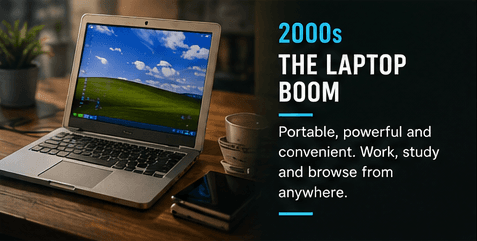
Portable computers existed long before the 2000s, but early models often involved severe compromises in weight, price, display quality, battery life and performance. Gradual improvements in low-power processors, flat-panel screens, lithium-ion batteries and compact storage made the laptop practical for a much broader audience.
Wi-Fi changed how those machines were used. A laptop no longer needed a network cable at a particular desk to reach local services or the internet. Homes, campuses, offices, airports and cafés became potential workplaces, although the quality and security of a wireless connection could vary.
Portability reshaped education and employment. Students could carry one device between classes and home. Professionals could access documents while travelling, and businesses increasingly equipped employees with laptops instead of fixed desktop systems. Later collaboration platforms and faster networks made remote work more practical, but also blurred boundaries between work time and personal time.
The laptop did not eliminate the desktop. Large displays, upgradeable components, sustained cooling and higher power budgets still make desktops useful for engineering, gaming, scientific work and media production. Portable systems prioritize a different balance among performance, battery life, weight, repairability and cost.
Smartphones and tablets also absorbed many activities once associated with the PC, especially communication, casual browsing and media consumption. Rather than making the computer disappear, mobile devices broadened the range of computers people use. The boundaries between phone, tablet, laptop and desktop became increasingly defined by interface and form rather than by whether the device could perform general computation.
Modern personal computing is therefore an ecosystem. A person may begin a document on a laptop, approve it from a phone, store it in a remote service and present it from another machine. Portability came not only from lighter hardware, but from making data and accounts available across connected devices.
Multi-Core Performance, SSDs and the Cloud
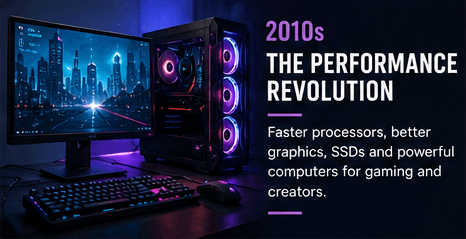
For decades, rising processor speeds were an easy way to describe progress. As heat and power constraints became more important, designers increasingly used multiple processing cores and specialized hardware. Software could divide suitable tasks across cores, while graphics processors accelerated 3D rendering, video, scientific computation and later many machine-learning workloads.
Solid-state drives produced another visible improvement. With no mechanical arm waiting to reach data on a spinning disk, an SSD can make startup, application loading and file access feel much faster. More memory, efficient operating systems and better displays also changed the experience, even when a specification sheet focused mainly on processor speed.
Cloud computing shifted some work from the local device to remote data centers. Webmail, online documents, streaming, storage and software development environments can run partly or mostly on servers. Organizations can rent computing capacity when needed instead of owning every physical machine that provides it.
The cloud is not an invisible place; it is other people's and organizations' computers operating in data centers. Those systems require electricity, cooling, networks, physical security and skilled operators. A cloud service can improve collaboration and scaling, but it can also create dependence on connectivity, subscriptions, providers and account security.
Personal computers continued to specialize. Thin laptops optimized mobility, gaming PCs combined powerful graphics with high-refresh displays, and workstations targeted sustained professional workloads. Small single-board computers supported education and experimentation, while tiny embedded computers spread into appliances, vehicles, factories and infrastructure.
This period made an important truth clearer: computing performance depends on matching hardware and software to a task. A fast graphics processor may transform video or simulation work but do little for a simple document. Responsiveness, reliability, battery life, acoustics and support can matter more than peak benchmark scores.
The AI-Assisted Computer and What Comes Next
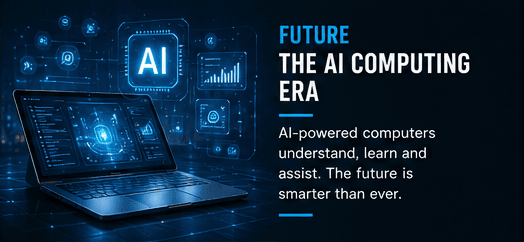
Artificial intelligence is the latest major workload to reshape computer design, but it does not mean that every computer has become generally intelligent. Machine-learning systems identify patterns learned from data and can support tasks such as image processing, speech recognition, translation, search, prediction and content generation. Their strengths and limitations vary by model and application.
Modern computers increasingly use heterogeneous hardware: a central processing unit for general work, a graphics processor for highly parallel tasks and, on some systems, a neural processing unit for efficient AI operations. Specialized accelerators can run selected models locally with lower delay, offline capability or greater control over data. Larger models may still rely on remote servers because they require more memory and computation.
Local and cloud AI involve trade-offs. Local processing may improve responsiveness and keep certain data on the device, but it is limited by power, heat and hardware capacity. Cloud processing can use larger systems and centralized updates, yet requires a connection and raises different questions about privacy, cost and provider dependence. Many products combine both approaches.
AI-assisted software can summarize material, generate drafts, organize information, help write code or edit media. It can also produce confident errors, reproduce bias or expose sensitive information when used carelessly. Reliable workflows need verification, clear permissions, security controls and an understanding of when conventional software is the safer tool.
Future progress may involve more efficient chips, new memory designs, optical links, advanced packaging and quantum computers for particular classes of problems. Quantum computing is not a universal replacement for laptops or servers; it is a different approach being developed for specialized workloads. Repairability, energy use, accessibility and longer software support may prove as important to everyday users as raw speed.
The computer's form will continue to change, but its basic role remains familiar: accept information, follow instructions, store or transform data and present a result. What has changed since the room-sized era is who can use that power, where it can operate and how many other systems it can reach. The next chapter will be shaped not only by what machines can do, but by how responsibly people decide to build and use them.
About timelines and future outlooks
This episode is an accessible technology-history overview rather than a complete academic record. Dates, adoption, and availability can vary by country and market. Future sections describe plausible directions based on current developments, not guaranteed outcomes.
Key Takeaways
- ✓Computer history is a chain of overlapping advances in hardware, software, interfaces, storage, networking and manufacturing—not a single straight line.
- ✓The stored-program idea made one machine capable of doing many jobs by changing instructions rather than rebuilding the hardware.
- ✓Microprocessors and common PC platforms helped move computing from specialist institutions to homes, schools and small businesses.
- ✓Graphical interfaces and the internet changed who could use computers and what connected software could accomplish.
- ✓Modern computing is distributed: a task may involve a personal device, local accelerators, networks and cloud servers at the same time.
- ✓AI accelerators add useful capabilities, but accuracy, privacy, energy use, security and human judgment still matter.
FAQ
Frequently Asked Questions
Quick answers about this episode's topic.
Continue Learning
Related guides and browser tools
Understand a key concept in more detail or try a practical tool connected to this episode.
Tech Explained
What Is Artificial Intelligence?
Learn the foundations behind the AI workloads and features shaping modern computers.
Read explainerTech Pioneer
Alan Turing
Explore the theoretical foundations of general-purpose computation and machine intelligence.
Read profileTech Pioneer
Ada Lovelace
Read about an early algorithm and a vision of computers working beyond arithmetic.
Read profileTech Pioneer
John von Neumann
Understand the stored-program architecture that became a blueprint for generations of computers.
Read profileMore in this series
Related episodes
Continue with nearby episodes from the Then vs Now series.

Episode 1: Phones: Then vs Now
How mobile phones evolved from analog brick phones through GSM, feature phones, touchscreen app platforms, 5G and AI-assisted smartphones.
Read episode
Episode 3: Internet: Then vs Now
How packet-switched research networks, TCP/IP and the Web evolved into today's broadband, mobile, cloud and AI-connected internet.
Read episode
Episode 4: Cameras: Then vs Now
How roll film, digital sensors, mirrorless systems, smartphones and computational photography changed the way images are captured and shared.
Read episode